Never miss that
special day again.
Burvy keeps every birthday that matters in one calm, beautiful place. It reminds you in time, helps you say something thoughtful, and remembers what you gave last year.




The people you love deserve more than
a late “happy belated.”
Birthdays hide in contacts, group chats and old calendars. By the time you notice, the day has passed. Burvy puts them all in one place and nudges you while there is still time to do something nice.


Everything for the day, nothing
you don’t need.
Six small things that make sure no birthday slips past.


Three steps to being the one
who remembers.

Add your people
Import names and birthdays from Contacts or your calendars, or add them one by one. Burvy reads only the name and birthday.
Choose your reminders
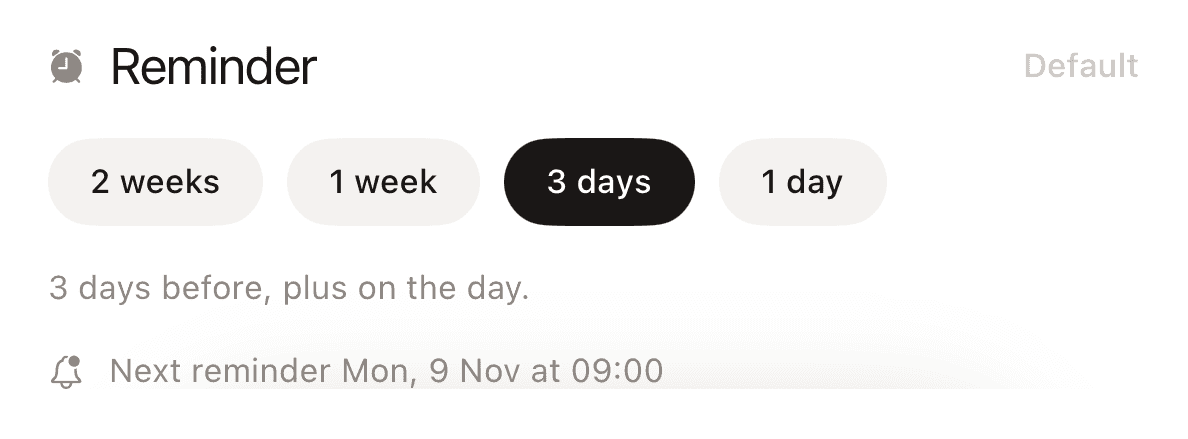
Pick a lead time and a daily hour. Burvy handles the rest, quietly.
Show up
Get the nudge, send the message, pick the gift. Mark it as wished and look back next year.
Two pages. One fold.
Everything in its place.
Unfold iPhone Duo and Burvy opens into two pages side by side, your birthdays on one and the person you picked on the other. The divide sits right on the hinge, so nothing ever hides in the fold.

Home, People and Settings each open as an overview and a detail page.
Burvy reads where the fold is and keeps every card and button clear of it.
Close it and Burvy switches back to the iPhone layout you know.
Glanceable on your Home
Screen.
A widget counts down to the next birthday, dot by dot, without opening the app. Burvy follows your light or dark setting and feels at home on iOS.

See who’s next at a glance, without opening the app.
Burvy follows your iPhone’s appearance.
Confetti on the big day. Tap the screen for more.
Your people are your business.
Signing in is optional, and you can export or delete everything at any time.
Birthdays and notes live on your iPhone.
Your own iCloud account keeps devices in step.
Nothing about your people is sold or shared.
Frequently asked questions
Something else on your mind? Get in touch and we’ll get back to you.
Yes, you can download and use it for free.